
RenterGlow is reader-supported. When you purchase through links on our site, we may earn an affiliate commission at no extra cost to you. As an Amazon Associate, we earn from qualifying purchases. All recommendations are based on technical hardware specifications and independent editorial review. Learn more in our disclaimer and disclosure.
Quick Summary: How to Mount TV Without Drilling into Rental Walls
Mounting a 43-inch to 65-inch television in a rental apartment without drilling large lag-bolt holes into wall studs can be achieved through three engineered hardware approaches. Architectural studio easel floor stands support up to 70 lbs without wall contact by transferring total gravitational mass directly into the subfloor. Cantilever leaner towers slide an ultra-thin weighted steel baseplate beneath existing media credenzas to elevate screens up to 88 lbs. For flush wall mounting, interlocking aluminum drywall cleats support up to 80 lbs on standard 1/2-inch drywall using downward 45-degree micro-nails, leaving only tiny pinholes that restore easily at move-out.
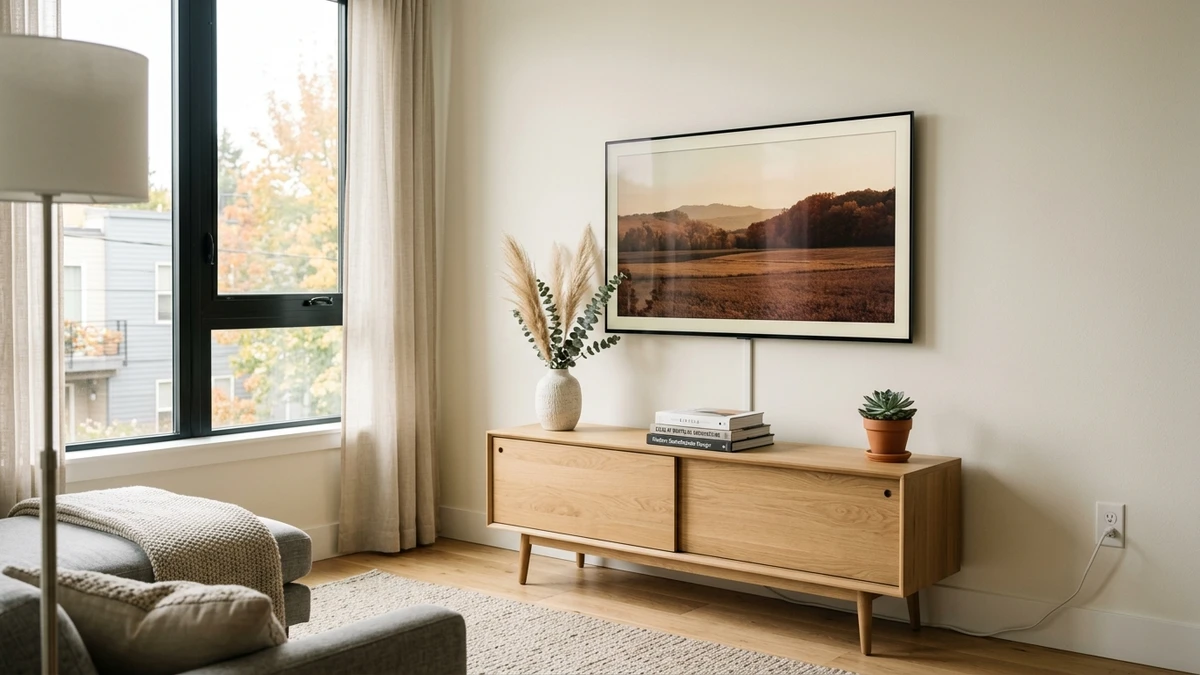
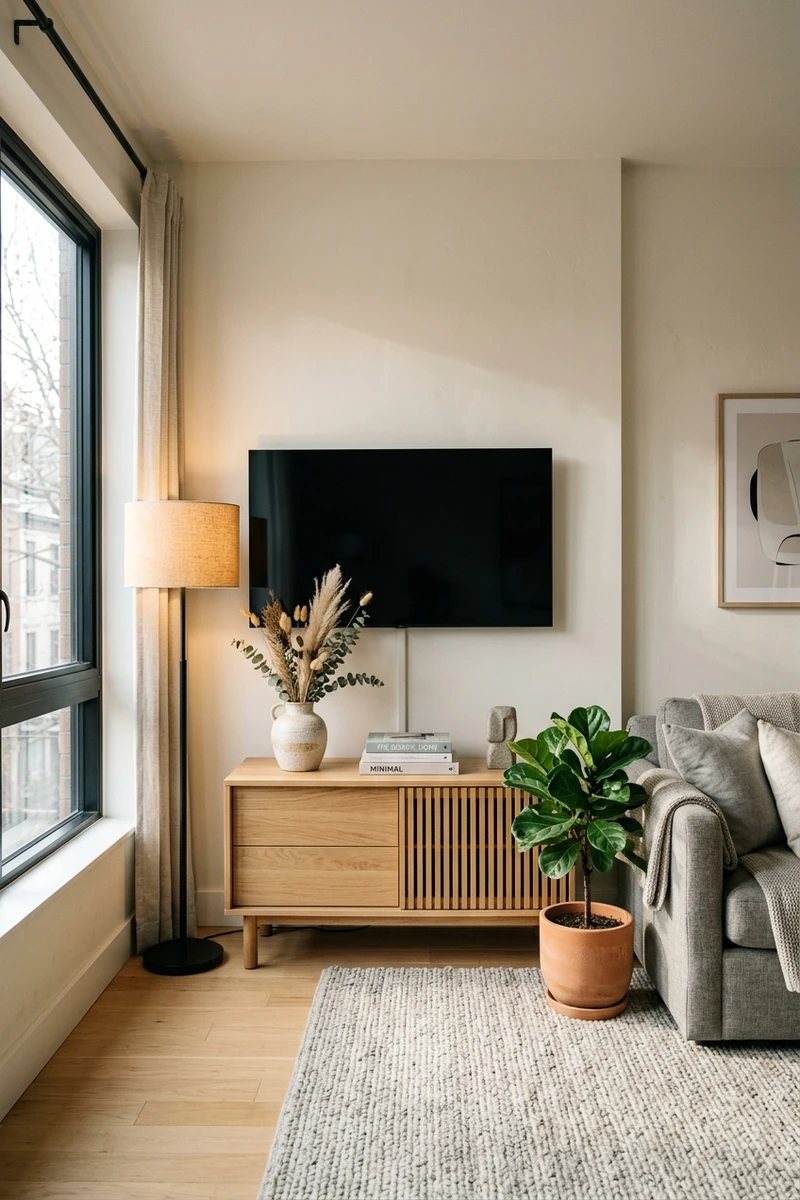
Elevating a flat-screen television to ergonomic eye level transforms living room ergonomics and frees up valuable surface space on media consoles. However, standard full-motion and fixed television wall mounts require driving 3/8-inch lag bolts deep into wooden wall framing. In rental apartments, locating structural studs behind plaster or metal channels is difficult, and drilling deep structural holes frequently triggers costly security deposit deductions. Renters can choose modern floor mounts, cantilever towers, or micro-pin cleat systems to mount tv without drilling structural wall penetrations.
Table of Contents
Pre-Installation Feasibility & Surface Checklist
Before you mount tv without drilling, review your apartment walls and furniture layout to verify hardware compatibility:
- Wall Substrate Compatibility: No-stud aluminum cleats require standard 1/2-inch or 5/8-inch gypsum drywall with intact paper facing. They are incompatible with historic lath-and-plaster, brick, stone masonry, or hollow metal stud framing.
- VESA Pattern Match: Check the rear of your television for standardized VESA mounting holes, which typically range from 200×200 mm to 400×400 mm for mid-size flat panels, to confirm bracket screw alignment.
- Furniture Baseplate Clearance: For cantilever leaner stands, ensure your media credenza provides at least 1 inch of bottom floor clearance to slide the counter-weighted steel base underneath.
- Ergonomic Center Height: Position the vertical center of the screen approximately 42 inches above the finished floor to maintain comfortable seated viewing angles.
- Tip-Over Restraints: In households with children or pets, follow CPSC guidelines by installing anti-tip safety tethers on free-standing easel and cantilever floor mounts.
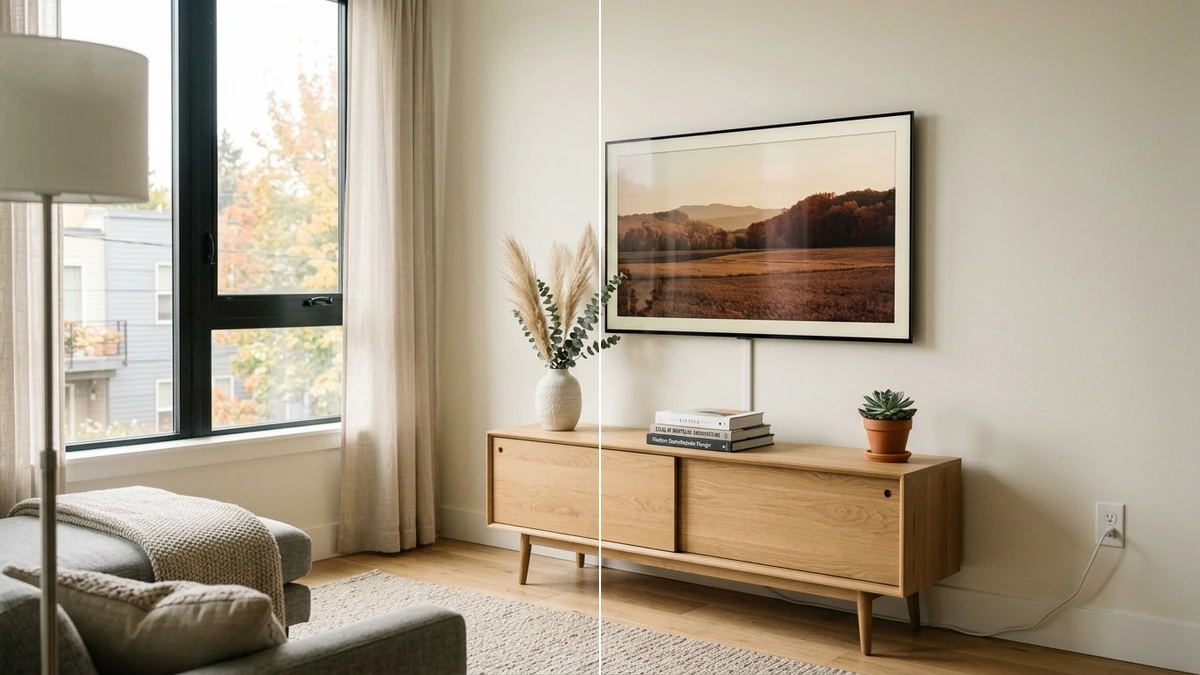
Rental Television Mounting Systems Comparison
Choosing the best approach to mount tv without drilling depends on display dimensions, furniture layout, and lease rules:
| Mounting System Type | Screen Size & Weight Capacity | Floor & Furniture Footprint | Wall Substrate Impact |
|---|---|---|---|
| Studio Easel Tripod Stand | 45 to 65 inches; up to 70 lbs | Free-standing (~2.5 sq ft footprint) | Requires zero wall contact or drywall fasteners |
| Cantilever Behind-Furniture Tower | 32 to 70 inches; up to 88 lbs | Requires 1 inch under-furniture clearance | Rests against baseboard without screws |
| No-Stud Drywall Aluminum Cleat | Up to 55 inches; up to 80 lbs | Flush wall mount above furniture | Hardened micro-pins leave tiny pinpricks |
| Traditional Stud-Mounted Wall Bracket | Large-format screens exceeding portable stand limits | Flush or articulating arm mount | Leaves four 3/8-inch lag bolt holes in studs |
Essential TV Mounting Hardware Specifications
Selecting reliable hardware to mount tv without drilling requires matching screen specifications with verified load capacities:
- Studio Easel Tripod Floor Stands: Crafted with solid hardwood legs and heavy-duty steel mounting brackets, architectural easel stands accommodate 45 to 65 inches screens up to 70 lbs, incorporating a swivel hub and integrated cable management routing along the rear leg. A typical tripod base occupies approximately 2.5 square feet of floor area.
- Cantilever Under-Console Towers: Utilizing a flat steel baseplate and telescoping vertical mast, these stands support displays from 32 to 70 inches weighing up to 88 lbs, sliding smoothly beneath low-profile media credenzas with at least 1 inch of floor clearance.
- Interlocking Aircraft-Grade Drywall Cleats: Precision-extruded aluminum cleats, such as the Hangman S-2040A, follow verified Hangman Products manufacturer specifications engineered to support displays up to 55 inches and up to 80 lbs on standard 1/2-inch drywall using downward 45-degree micro-nails.
- Metric VESA Hardware: Flat-panel televisions use standardized VESA mounting hole patterns typically ranging from 200×200 mm to 400×400 mm, fastened securely with standard M6 or M8 metric machine screws.
How to Mount TV Without Drilling: 3 Rental Methods
Depending on your apartment layout and lease guidelines, you can mount tv without drilling using one of these three reliable methods:
Method 1: Architectural Studio Easel Tripod (Free-Standing Setup)
The studio easel tripod turns your display into a freestanding design feature without contacting apartment walls:
- Assemble the Tripod Base: Thread the solid wood legs firmly into the central cast-iron hub. Tighten the locking collar until the tripod base is rigid and level.
- Attach VESA Brackets: Select the metric machine screws matching your television rear VESA mounting pattern, which typically ranges from 200×200 mm to 400×400 mm. Fasten the bracket rails securely to the rear panel using nylon washers.
- Mount and Secure the Screen: With an assistant, lift the television onto the easel mounting bar. Modern 55-inch to 65-inch flat screens typically weigh between 45 and 55 lbs, well within the 70 lbs capacity of heavy-duty easel stands. Fasten the safety retention clips beneath the rail to prevent accidental dislodgement.
- Route Cables and Install Anti-Tip Tether: Run power and HDMI cables through the concealed routing spine on the rear leg. Secure the included wire anti-tip tether to an adjacent baseboard or heavy console to prevent tipping hazards.
Method 2: Interlocking No-Stud Aircraft-Grade Aluminum Cleats
When you want a television suspended flush against drywall without drilling into structural studs, interlocking aluminum cleats offer high shear capacity:
- Measure Ergonomic Viewing Height: Use a measuring tape to position the vertical center of the screen approximately 42 inches above the finished floor to maintain comfortable seated eye level.
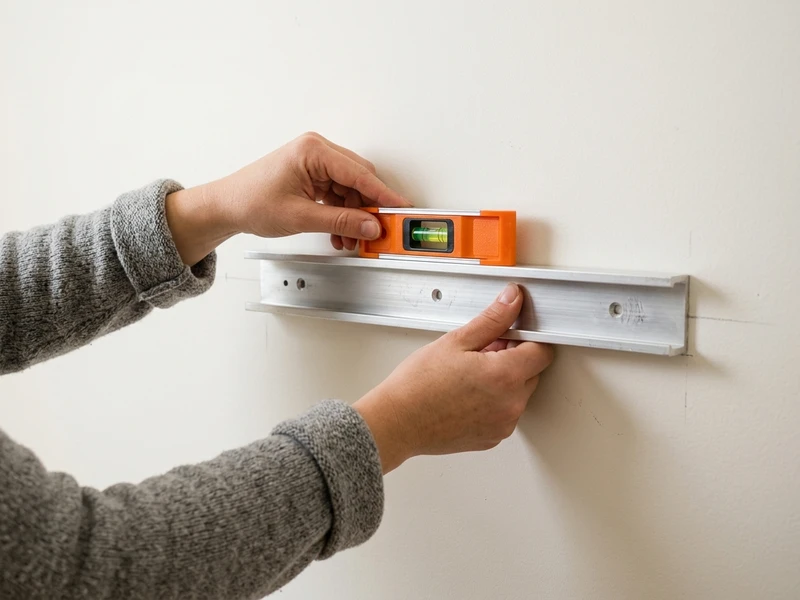
- Level the Aluminum Cleat: Hold the extruded aluminum cleat against the drywall and check the integrated bubble level to ensure horizontal alignment.
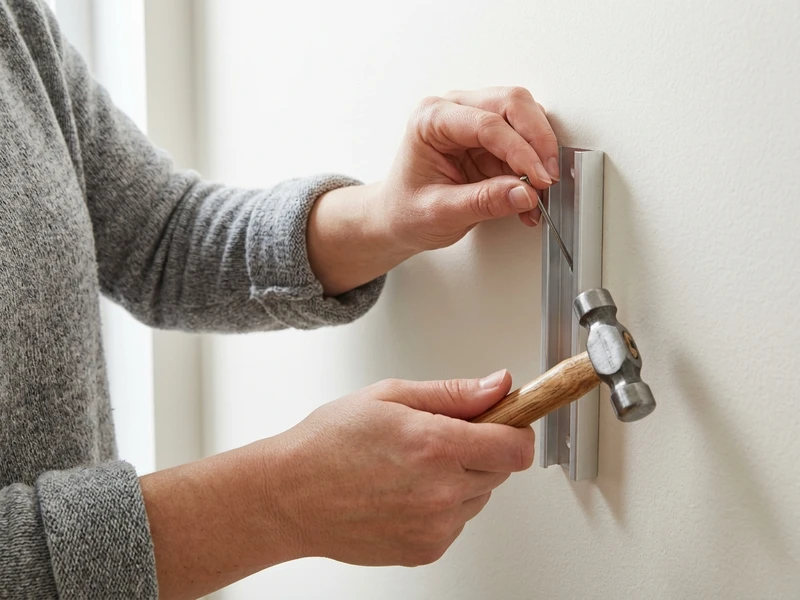
- Drive Micro-Pins at a Downward 45-Degree Angle: Tap the hardened steel micro-nails through the precision guide holes in the bracket. Driving pins at a downward 45-degree angle distributes shear force into standard 1/2-inch or 5/8-inch gypsum drywall without wall anchors.
- Hang and Lock the Display: Attach the corresponding VESA bracket to your television panel, and gently lower the display onto the wall cleat until the interlocking lip seats fully.
Method 3: Behind-Furniture Cantilever Leaner Towers
If your rental agreement prohibits any wall penetrations, cantilever leaner stands provide a floating appearance using furniture counterweight:
- Apply Protective Base Buffers: Adhere dense felt buffer strips to the underside of the steel baseplate to protect hardwood floor finishes from scratches.
- Position the Base Beneath Furniture: Slide the flat baseplate underneath your media credenza, confirming that your furniture provides at least 1 inch of bottom clearance. The weight of the credenza acts as a structural anchor.
- Adjust Mast Height: Set the telescoping steel uprights to position your screen comfortably above the console surface. Secure the locking pins.
- Hang and Lock Display: Fasten the VESA adapter to your television, mount it onto the mast plate, and tighten the safety bolts.
Television Tip-Over Safety & Anti-Tip Engineering
When you mount tv without drilling, safety precautions prevent accidental tipping accidents in active rental households:
- CPSC Anchor Guidelines: The U.S. Consumer Product Safety Commission highlights the importance of anchoring television displays. For easel stands, attach anti-tip wire tethers anchored to furniture legs or baseboards.
- Low Center-of-Gravity Loading: When using cantilever towers, ensure the media console placed atop the baseplate contains sufficient mass (books, receivers, or records) to serve as a stable anchor.
- Cable Strain Relief: Bundle power cords using hook-and-loop straps with sufficient slack to prevent pulled cords from exerting tipping leverage on the screen.
Move-Out Drywall Restoration Protocol
When vacating your apartment, removing a no-stud micro-pin cleat requires minimal restoration to leave walls in clean condition:
- Lift the television off the aluminum cleat with an assistant and set it aside safely.
- Use the curved claw of a standard finish hammer to gently pry the micro-nails out of the bracket guide holes. Pull straight outward to avoid enlarging the tiny punctures.
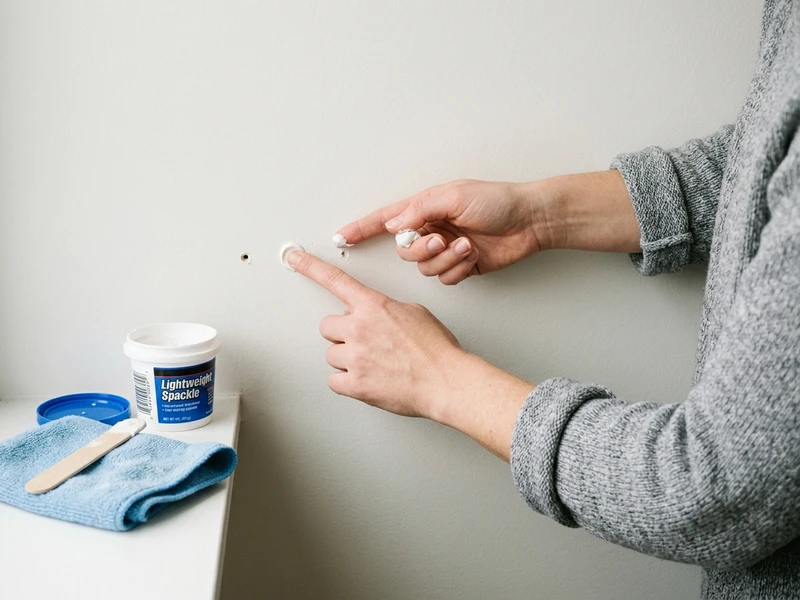
- Remove the aluminum wall bracket. The micro-pins leave tiny pinprick holes similar to small pushpins.
- Take a pea-sized dab of lightweight white vinyl spackling paste on your fingertip and press it smoothly into each pinhole. This repair typically takes around 2 minutes to complete.
- Wipe excess spackle flat with a damp cloth. Once dry, the tiny punctures blend cleanly with standard rental wall paint.
Frequently Asked Questions About Mounting TVs in Rentals
Can you mount a 65-inch television without drilling into wall studs?
Yes. A 65-inch television typically weighs between 45 and 55 lbs, well within the 70 lbs capacity of heavy-duty studio easel stands and the 88 lbs capacity of cantilever leaner towers. Both options support large flat screens securely without driving lag bolts into wall studs.
Do no-stud drywall TV hangers damage rental apartment walls?
No-stud aluminum cleats utilize tiny hardened micro-nails rather than heavy expansion bolts. These micro-pins penetrate standard 1/2-inch drywall at a 45-degree angle, leaving small pinprick holes that seal cleanly with a pea-sized dab of lightweight spackle upon move-out.
Are easel tripod TV stands stable around pets and children?
Quality studio easel stands feature wide tripod footprints engineered for mechanical stability. However, because free-standing displays have an elevated center of gravity, installing an anti-tip safety tether anchored to a baseboard or adjacent heavy furniture provides important tip-over protection in active households.
What should you do if your apartment has plaster walls instead of drywall?
Micro-pin no-stud cleats are designed specifically for gypsum drywall and are unsuitable for historic lath-and-plaster, which cracks under nail penetration. For plaster walls, choose a free-standing studio easel tripod or a behind-furniture cantilever floor stand to avoid wall contact entirely.
